Roomie 10.7
Latest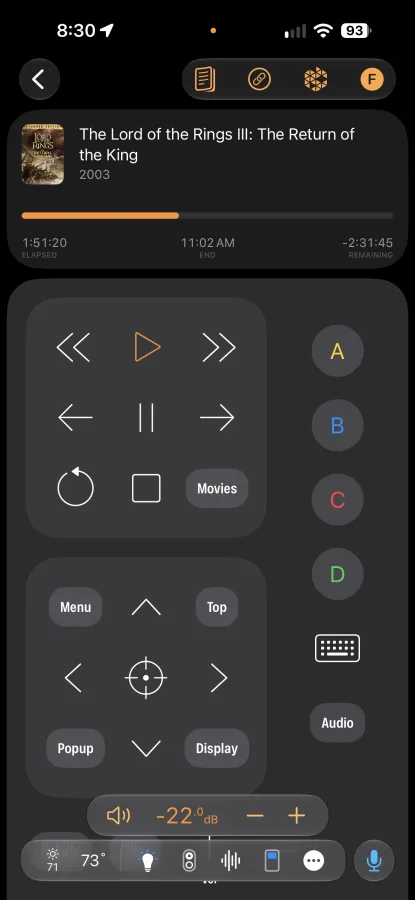
New HomeBar
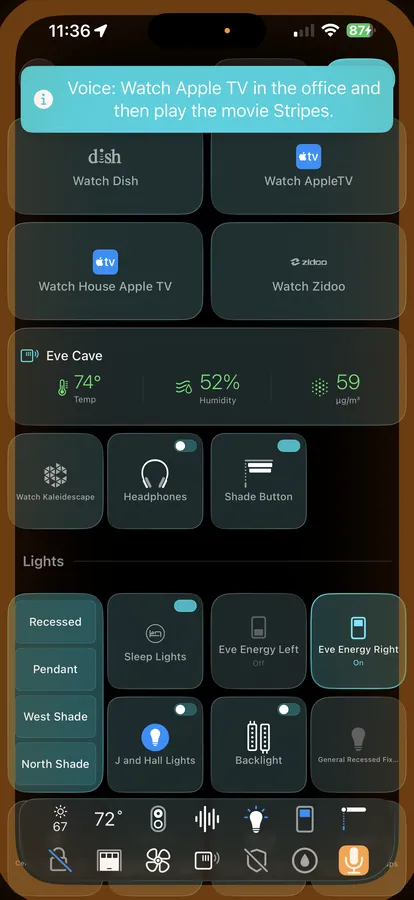
- The HomeBar is now one tidy row. Weather and Climate lead, Voice has its own circle, and anything that doesn't fit is in a More menu that shows what's on. Long-press the bar, or pick Customize Bar from More, to choose the order and what goes to More. VoiceOver reads each button by name and state.
- On Mac, the buttons join the window's toolbar, and Settings (⌘,) and Roomie Help appear in the menus.
All-New TV & Media Guide
- The guide is rebuilt: a faster Live TV grid with jump-to-time and program cards, playlists, the Kaleidescape cover wall, library and DVR timer cards, and a new channel guide editor.
- The Sony Blu-ray, Yamaha, and Sonos Pandora guides are retired.
Plex and Infuse Playback
- Plex on Apple TV and NVIDIA Shield no longer needs a separate Plex Media Player device. Turn on the Plex Media Guide on the Apple TV or Shield device, sign in there, and movies and episodes open right in the Plex app. An existing Plex Media Player is converted.
- If Infuse is installed on your Apple TV, Plex movies and episodes can play in Infuse instead. A capsule in the Plex guide bar cycles Automatic, Plex, and Infuse per activity; Automatic uses whichever app the Apple TV last played from.
All-New Automations List
- Every automation shows what starts it, any condition, and every step it takes, each tagged with its room. Search finds an automation by any device, room, command, or notification text it involves, and highlights the match. Room filters show every automation that watches or acts in a room.
- Automations can have names, which History and System Status use too. Swipe or long-press an automation to turn it off, run it now, duplicate it, or delete it.
UniFi Protect
- Add UniFi Protect cameras from the console in one step. Roomie finds the console on your network, paste an API key from Protect, and every camera is added with secure streaming. Roomie checks the console every 15 minutes for renamed cameras, and Update from UniFi Protect in the device editor restores a stream turned off in Protect.
Camera Button and Talkback
- A camera can carry one Activity as a button in its full-screen view, so you can open a gate or door without leaving the camera. Choose it with Camera Button in the camera's Edit Device panel.
- Talkback is now tap to talk: one tap starts, a second stops, and the mic button pulses red while you are live. Your voice is louder at the door, and Axis door stations on AXIS OS 12 now connect.
Multiple Remote Designs
- Keep more than one remote design per activity. Pick one for this controller only, try it out, then make it the default everywhere. Name, switch, create, and delete designs from the activity button menu.
In-App Assistant
- Ask Roomie what happened in your home, what a device is set to, or to run a command, right from the app. It answers from your home's history and configuration. The same chat answers setup and compatibility questions, as Support did before. Find it under Support in the gear menu.
- A change the Assistant makes, such as correcting the power state Roomie remembers for a device, shows as one line with an Undo button.
- Ask "what can I do here" to see what the Assistant can do.
AI-Generated Remote Designs
- Ask Claude on claude.ai to design a remote for an activity. It proposes the design in plain words, you approve it in the chat, and the draft appears in your designs marked as Claude's, ready to use as an alternative, the new default, or a replacement.
- Claude can also fix a device's remembered on/off state with your approval. Every change it makes is recorded and can be undone for 30 days, and "undo the last change" works from any controller.
- When diagnosing, Claude can read another controller's records by name.
All Commands for HomeBar Panels
- Set every light or shade to a level, switch every switch or fan on or off, lock every lock, or close every garage door from a menu beside Sort. Rows already at the target are left alone.
AirGradient Air Quality
- AirGradient sensors join PurpleAir as a local air-quality source, adding CO2, VOC, and NOx to the air-quality tile in the Weather panel. Enter either brand's address.
Steadier Room Switching
- Proximity Beacons now hold your current Room unless another is clearly closer. When a switch is likely but not certain, a bar offers it instead. Picking a Room by hand keeps it for three minutes, then offers only for two more.
SmartThings
- Support for the new SmartThings API plan. Samsung now requires a monthly fee from users, and SmartThings connects through an app on your own Samsung account. To connect, add SmartThings as a Cloud Service and tap Pair. Roomie asks for a Personal Access Token from account.smartthings.com/tokens with the Apps, Devices, and Locations permissions. The token is used once, and you can delete it afterwards.
- If you already use SmartThings, reconnect it: open Edit Device, tap Unpair, then Pair. Your activities and HomeBar items are kept. Roomie reminds you at launch, at most once a week, with Set Up Now, Later, or Remove SmartThings for anyone who would rather not pay for the plan.
- Status updates are faster and lighter. Your Primary keeps a live SmartThings event stream and answers from it, so far fewer calls count against your plan.
- SmartThings sirens appear as switches.
Home Assistant
- Automations triggered by Home Assistant now fire. Triggers saved earlier start working without being edited, and the trigger picker lists only the entities that can trigger.
- Home Assistant scripts run from Roomie, and entities added or changed in Home Assistant appear on their own.
- A rejected access token shows one banner and is not retried until you change it.
Also
- History records every configuration change with what changed and which controller made it, and charts temperature and humidity over the day.
- Sony STR-AZ receivers are discovered automatically.
- StormAudio processors are discovered automatically, show what each HDMI output is sending, and can control a zone such as the Downmix output with its own volume and mute.
- TVs with a built-in tuner, such as LG, can use a channel guide in a Watch TV activity.
- Power Off works in a room without a System Off activity, running the current activity's stop actions.
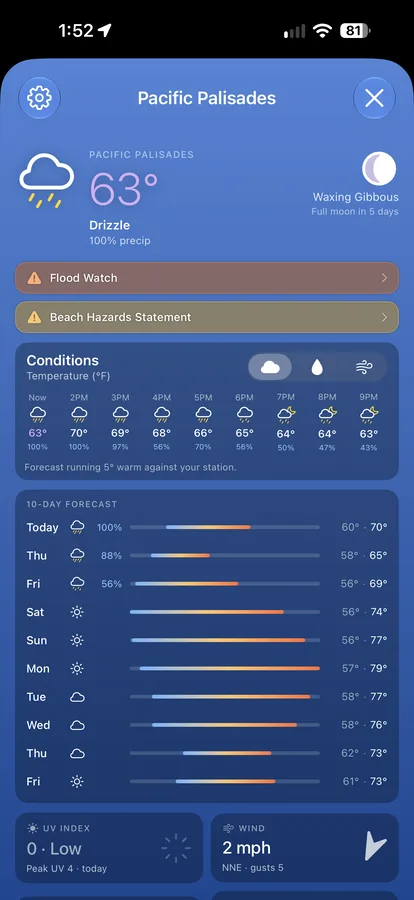
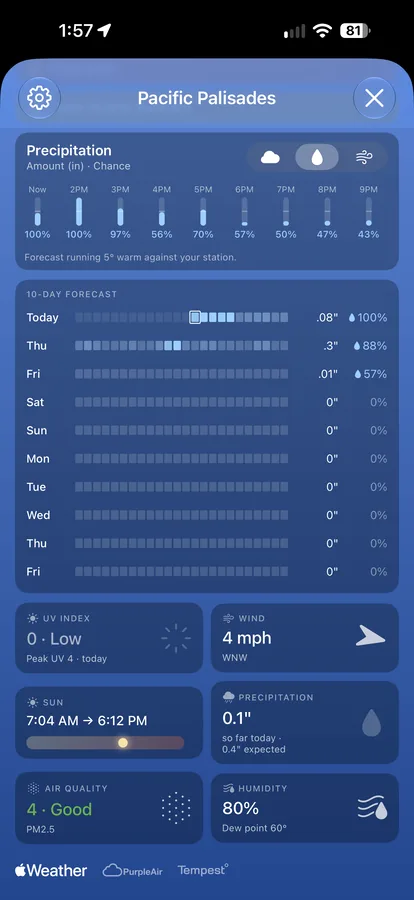
- The precipitation lens shows today's forecast amount, and a one-row Weather tile shows as many days as fit.
- Zidoo TV shows page in as they load, play reliably, show episode stills, and can be searched. If the Zidoo Home Theater app is closed, Roomie opens it.
- History logs HomeKit commands sent by automations, activities, and buttons.
- Kiosk Mode on Mac: the lock survives a relaunch, the kiosk takes focus back from other apps, and Let Kiosk Display Sleep lets a headless Primary blank its screen without locking the session. The QuickStart Guide explains the headless setup.
- An iOS Vocal Shortcut can start Roomie Voice from any screen; setup is in the QuickStart Guide. xAI Voice is now Grok Voice, and it stays quiet after a false wake.
- When an activity leaves a device's power command unsent because of the power state Roomie remembers, History records it and the Assistant says so.
- A close button beside Back exits the guide in one tap from cards and deep folders.
- Zooming a camera in the Cameras panel shows full detail instead of enlarging a smaller picture.
- The Unlimited 3-Year Pass can be bought by current subscribers, and About shows the pass and its end date.
- The Live Activity has a Dark background option under Appearance. On an iPad in landscape, the HomeBar categories join the button row, as on the Mac. In portrait the bar stays at the bottom.
26 fixes in 10.7
- Buttons in a device's More panel no longer send the main row's commands.
- Apple TV voice works again on tvOS 27.2 and later, for hold-to-talk and saved voice commands. Nothing needs re-recording.
- A controller that was in the background when the Primary Controller changed now finds the new one instead of showing "No response from Primary Controller".
- A device whose network address changed no longer flips between its old and new address.
- Restoring a backup refreshes Now Playing and brings only that backup's images. Restore from iCloud says when automatic backups go to a custom location.
- A camera that will not play shows a "No Video" badge saying why, on Room Layout tiles too.
- Hiding a camera no longer leaves Room Layout tiles showing stale state, and the Cameras panel speaker works for a camera first opened by a tile.
- AirGradient no longer shows an AQI of 0 in clean air.
- Buttons at the bottom of a panel respond on the first layout in iPad split view.
- Power Off closes the action panel for an activity started from Home.
- Roomie Voice restarts a microphone that connects but delivers no sound.
- A HomeBar tap sends the state you saw, so a slow HomeKit reply no longer turns a device off when you meant on. Dual-outlet accessories update one row per outlet, and HomeKit fans switch off properly from "All Off".
- A brightness or volume command added without moving its slider now sends its value, and the editor flags any command missing one.
- A HomeKit sync requested during another sync runs afterwards instead of being dropped.
- A state trigger from a hub such as Home Assistant or Elk fires once each time it becomes true. It no longer fires at launch or misses the first change after an automation is edited.
- The Action Panel activity menu stays open on the first tap after launch.
- Two controllers set up from one copy no longer fight over which is Primary, and a Samsung TV no longer asks "Allow" every night.
- An automation's "only if" activity condition is now honored; automations that carried one but fired anyway now wait for it.
- Automation activity counts survive the app leaving the foreground.
- Several problems that could block SmartThings pairing are fixed.
- Jandy iAquaLink pool controls no longer flip back or toggle off after a tap.
- Saying "turn off all the outside lights" stops that scene instead of answering OK and doing nothing.
- A Weather reading no longer crashes the app after days of running.
- Apple TV Settings keeps the cursor on its row through alerts and refreshes.
- An Apple TV activity with an old channel guide shows the apps guide again, and a playlist row that opened a folder no longer stays highlighted.
- Guide lists reopen at the row you left, no longer hidden under the toolbar.
Roomie 10.6
Video Tutorials
- Eight tutorial videos are out, from switching off a Harmony to your first Room, Activities, design, Controllers, Automations, Voice, and the HomeBar panels. Open them from Settings → About → Video Tutorials, or tap Watch in any QuickStart Guide section — the guide itself is rewritten for 10.6.
Spotlight, Controls & Widgets
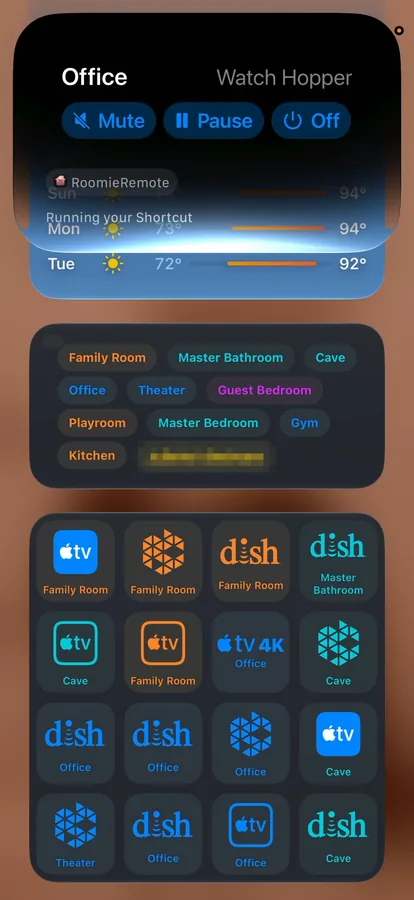
- Rooms and activities appear in Spotlight, and opening one offers Mute, Pause, and Off.
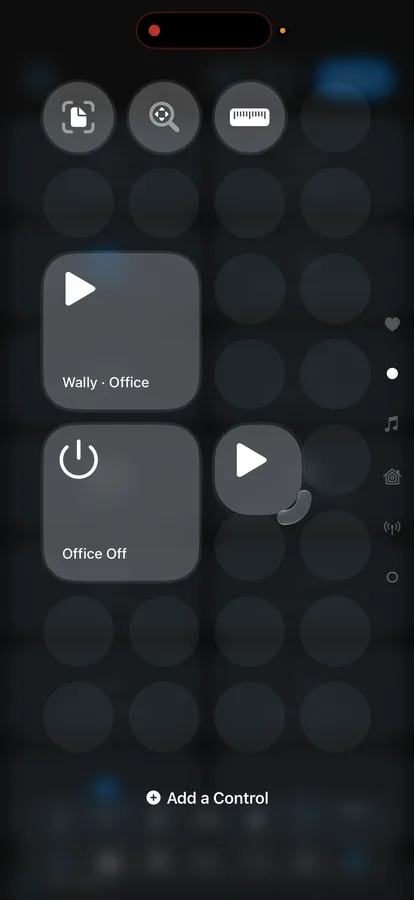
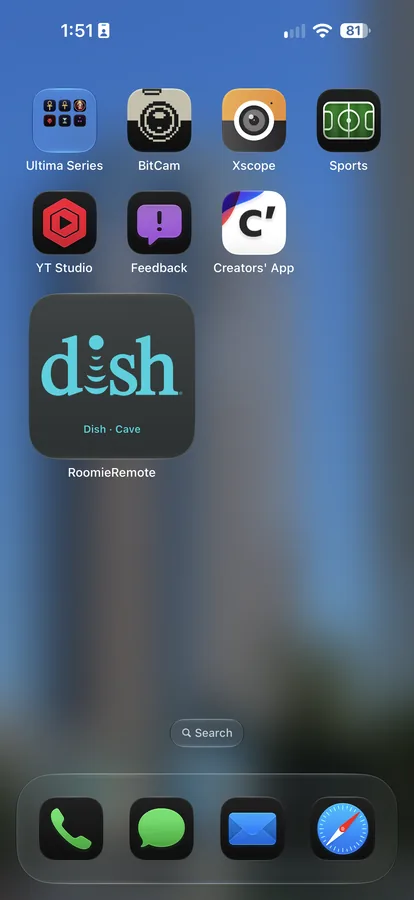
- Control Center controls run activities, and go on the Lock Screen or the Action button; an Activity widget runs them from the Home Screen.
- Siri can also start or stop a room by name, in English, German, Spanish, and French.
Claude
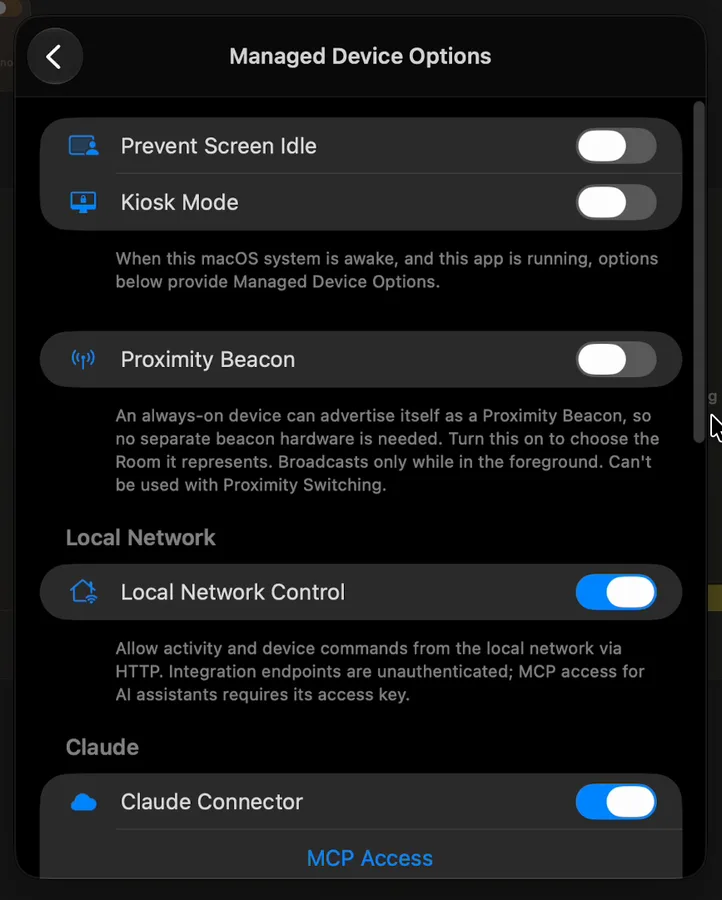
- Claude App & Website. Claude on claude.ai and in the Claude app can view and control your home from anywhere. On a dedicated Primary Controller, turn on Claude Connector under Settings → Managed Device Options → Claude, where MCP Access holds the connector URL, Home Link Code, and key.
- Claude can diagnose your home from History moments and the home's redacted logs, configuration, and controller roster — never credentials — then offers a report.
History
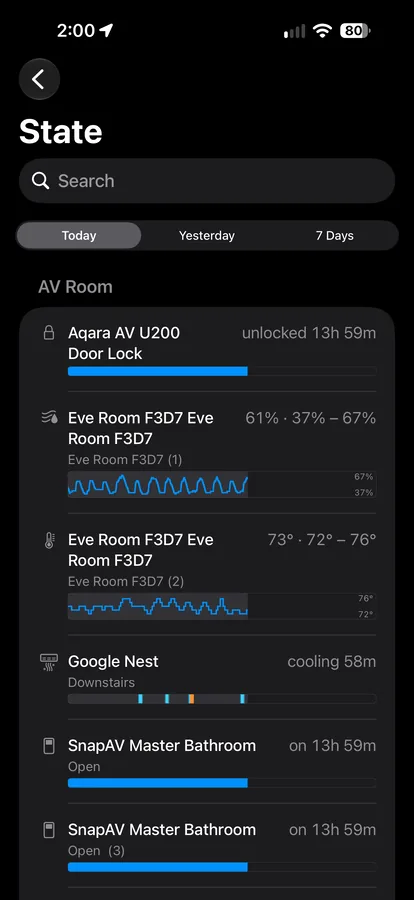
- State. A new tab charts what your home did: a full-day strip per device or zone, grouped by room, with search, a readout for any moment you scrub to, and a detail screen of totals and changes.
- A refused command gets its own row naming the device, and a device that answers but refuses is marked "Not responding."
Voice
- Wake word range. "Hey Roomie" carries across the room with far-field detection, and a command that matches nothing says so.
- Skip or replay by an amount, and seek to a position: "skip ahead two minutes," "go to 1:15."
Cameras
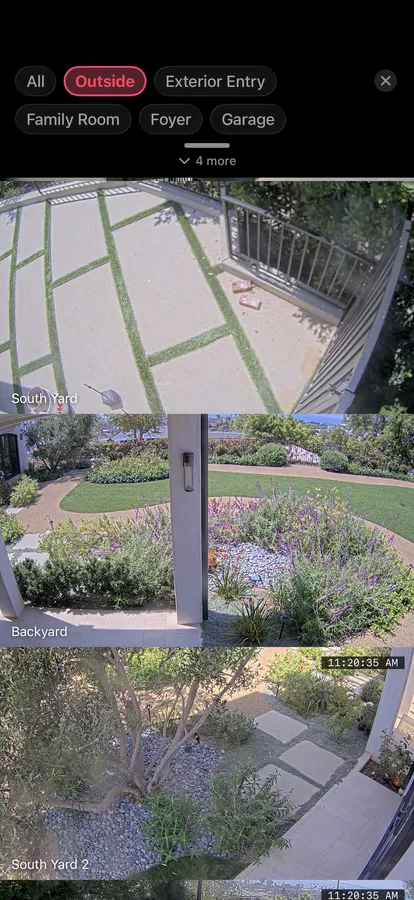
- Camera video is rebuilt: frames draw on the GPU, the Mac gains hardware decode, and tiles stream each camera's sub-stream.
- Streams open about a second faster, and Guided Add finds Reolink cameras.
Weather
- Your Primary relays Tempest and PurpleAir readings to every controller, and serves cloud air quality when a local sensor dies.
- Forecast lens. Flip between Conditions, Precipitation, and Wind.
Intercom
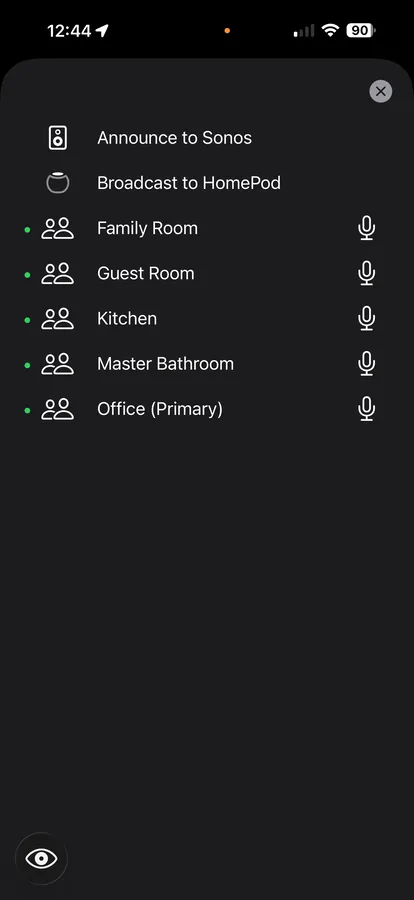
- HomePod. Upgraded to send via AirPlay 2 for Software 27 support; announcements start at the press and play whole on every speaker.
Device Support
- Mitsubishi Kumo Cloud. Mini-splits join via your Kumo account with modes, setpoints, and fan speeds.
- Vera thermostats, locks, shades, and sensors type correctly, McIntosh MA8900 gains serial control, and Denon receivers add the Game 2 input.
- Roomie for Mac is Apple Silicon only, Apple TV gains a new icon, and Compatibility, Support, and About are free of the subscription.
Editing
- An automation can require a watched state to hold N seconds. Add Wait is now Add Delay, delays read in seconds, Delete Device lists the receiver inputs mapped to it, and Room Layout offers Add Item in Edit Mode.
9 fixes in 10.6
- A home survives a join or a restore: a controller can't change a home it has not received, a restore from a secondary reaches everyone, and a joining controller won't flip the home to Automatic Primary.
- Controllers stop losing sync and repeating alerts with Instant Home Sharing off, and controller deletes stick.
- Apple TV honors a pairing backoff, reconnects after pairing, takes a PIN from the test remote, and bad messages no longer crash the app.
- A denied Local Network permission is announced to the home.
- iPhone Duo: content clears the system's vertical bar, the activity button moves into it, the guide tiles only the columns that fit, and no blank second window opens at launch.
- Insteon lights stay current after the hourly reconnect, and LEAP secondaries stop re-subscribing the Primary.
- Sonos names the track, not the station, and Home Assistant records temperatures in the server's own unit.
- Weather recovers when location is refused at launch, and a Mac Primary keeps polling when unfocused.
- Caséta bridges with only shades report positions within 15 seconds.
Roomie 10.5
Control from Claude
- Talk to your home in Claude. Roomie can now be a local MCP server — connect Claude Desktop, Claude Code, or any MCP client and ask Claude to start activities, set volume, control lights and thermostats, or check what's playing — on your own Claude subscription.
- Claude can verify commands landed via recent actions and device health. Enable in Settings → MCP Access.
Projectors
- Projector Passwords. JVC and Epson take the password set on the projector, via its own secure handshake; existing projectors migrate automatically.
- Valerion VisionMaster. IP control over AWOL Link: power, inputs, volume, D-pad, lens and picture menus, and its Security Code.
- Device panel shows the incoming signal for Barco and Valerion: resolution, aspect, bit depth, HDR, color space.
Kiosk Mode (Mac)
- Lock the Mac app full-screen above everything — Dock, menu bar, and force quit disabled. ⌃⌘K toggles; exit needs Touch ID.
History
- Every action is recorded with its origin (tap, Watch, Alexa, automation), plus security, settings, and config trails — searchable, under gear → History.
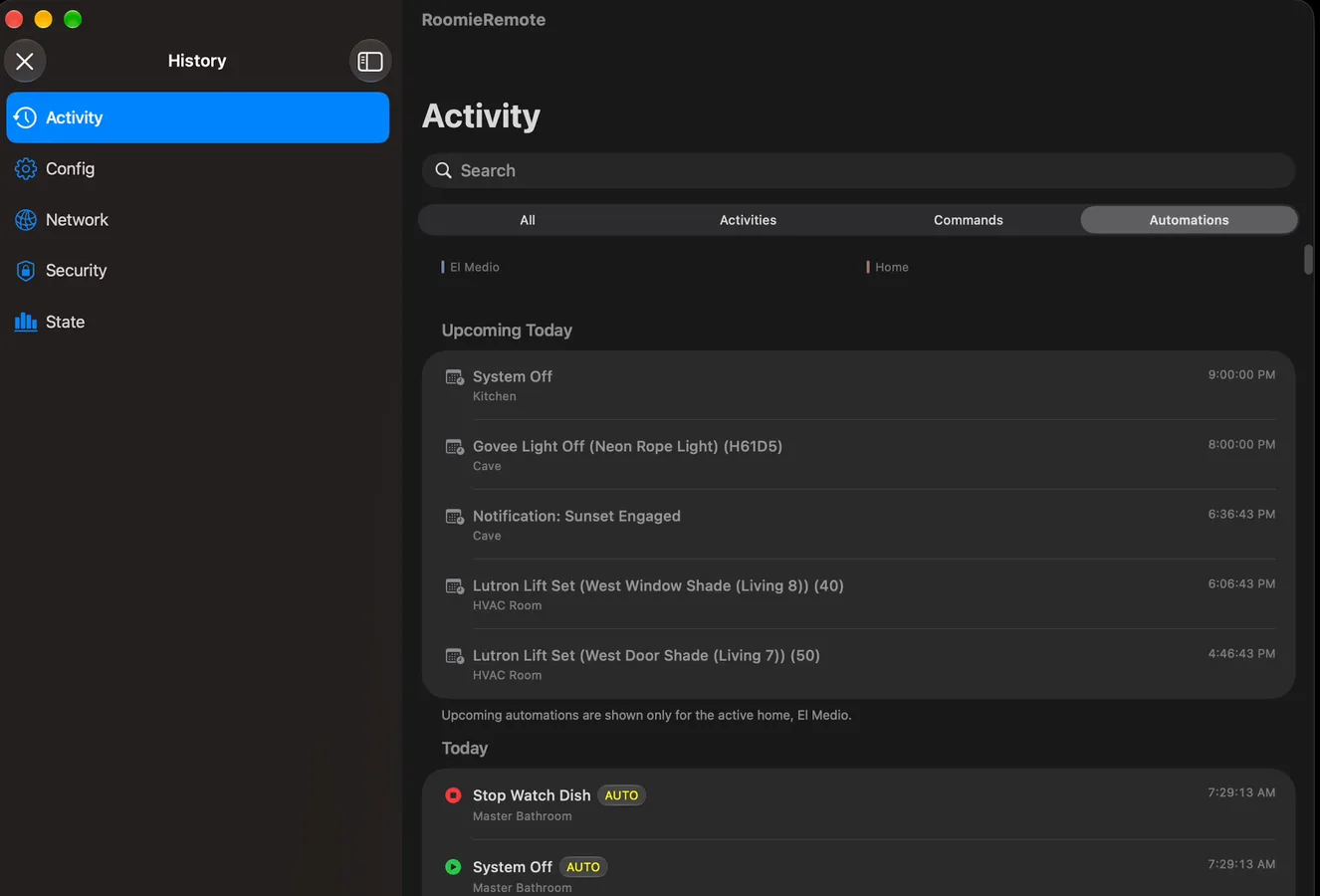
- Automations. Recent and upcoming runs, including missed and delayed ones, in their own view.
- Network. A searchable timeline of address changes, controllers coming and going, and issues.
Device Support
- Google TV. Volume and mute feedback, absolute volume, and discrete power.
- Google Cast. Now Playing with artwork, transport, seek, progress, and receiver volume.
- LG TVs. New firmware broke third-party pairing; Roomie re-registers and recovers affected TVs.
- Honeywell retired Total Connect Comfort; Roomie now uses Honeywell Home (Resideo) — re-add your account.
- Samsung App Source. Tizen TVs stopped listing apps; pick the TV's SmartThings entity and the Media Guide fills again.
- StormAudio ISP and Trinnov processors, and receivers report what's playing: stream, channels, sample rate, upmixer.
- Sonos Group Picker. A Sonos device shows its group, with a Now Playing picker to switch groups.
Weather & Air Quality
- A WeatherFlow Tempest station feeds live wind and rain, and air quality gains EPA humidity correction with smart PurpleAir selection combining Tempest, PurpleAir, and Apple Weather data into a master view of local weather.
Activity Editor
- Remember On/Off State. Toggling vs. button behavior is now explicit, with an Activity State row to correct it.
- The editor flags missing-device references and toggles lacking On Stop; auto power and input commands are read-only.
Room Layouts & Controllers
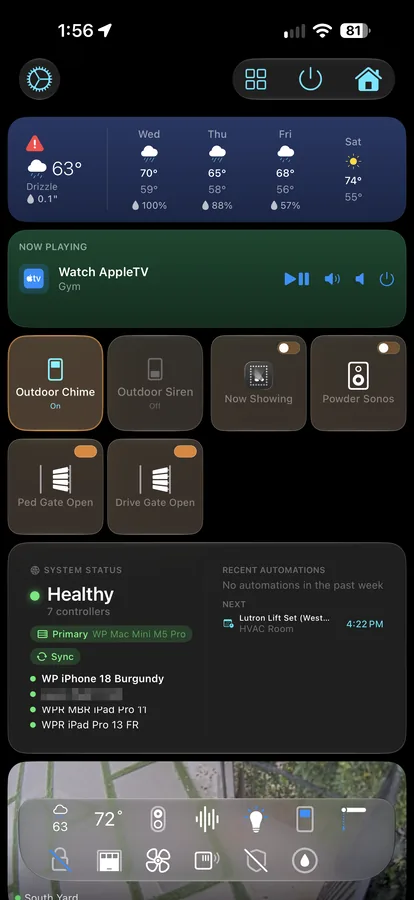
- System Status. A tile reporting mesh health: cloud, Primary, and sync links, and the roster.
- Controller Health. Rows say why a controller went quiet, alerts clear home-wide, and the Sensors button shows what tripped it.
- Scene tiles reflect live HomeKit state, and Auto-Add drops new devices and activities into a room's layout.
10 fixes in 10.5
- A controller won't advertise a dead interface or unseat a Primary it can still reach; relayed devices survive a Primary change.
- Wait Before delays no longer run long, automations honor Stop mode, and Alexa can turn off any activity.
- Nest setpoints no longer revert, Jandy and Govee no longer wedge on rate limits, thermostats keep live status.
- An activity edit no longer deletes auto power commands; Wake-on-LAN isn't sent in System Off.
- Elk M1 shows which zone tripped.
- Ring sign-in recovers when its token lapses; a locked keychain no longer forces a new sign-in.
- Receiver feedback routes to the right zone, zone-2 mute spares the main zone, and volume no longer drifts to an old level.
- Apple TV reconnects after a background disconnect, Roku keeps special characters, Barco powers on from Wake-on-LAN.
- Camera windows keep their stream, keep their size and placement, and don't multiply.
- Sync bursts no longer stall the app, Home Assistant is right from cold boot, and code set updates reach every home.
Roomie 10.4
Apple Watch App
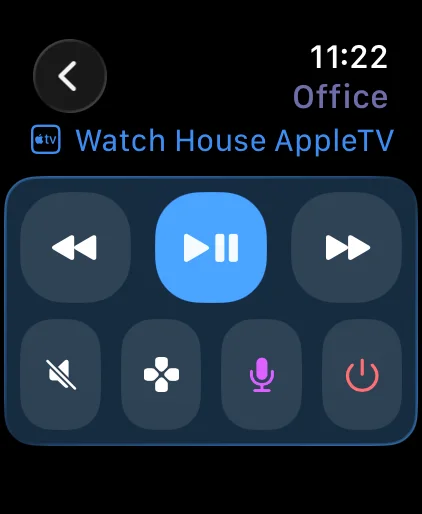
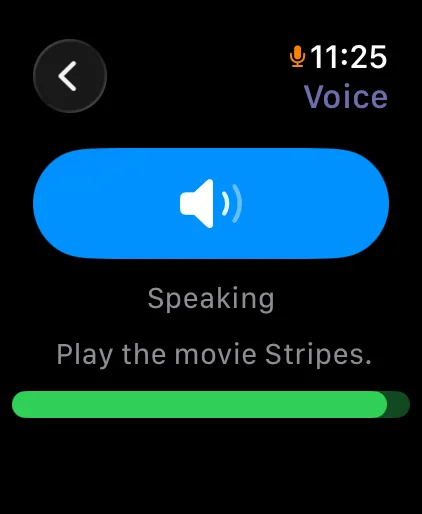
- Roomie returns to Apple Watch. A next-generation watch app, rebuilt from the ground up — browse your rooms, start and switch activities, and control whatever's playing with play/pause, skip, mute, and volume on the Digital Crown, plus a D-pad for menu navigation and one-tap power off.
- Voice on your wrist. Raise to speak using the voice control you've configured on iPhone, including conversational Grok Voice. Voice and commands relay through your nearby iPhone, so the watch stays light and responsive.
- Launch complications. Add a Roomie complication to your watch face to jump straight to voice or the room that's currently playing.
Proximity Switching
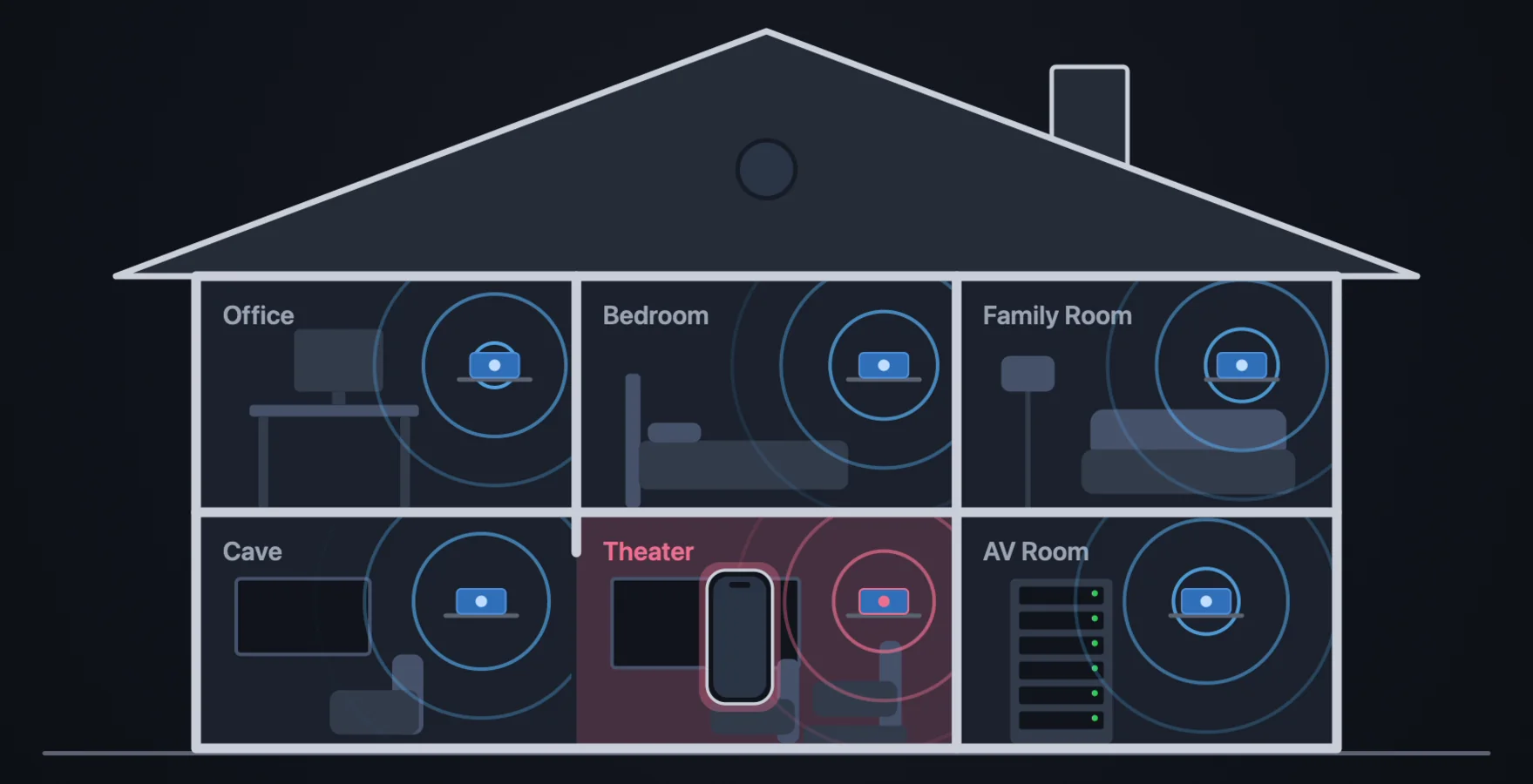
- Proximity Switching. Roomie can switch a controller's active Room automatically based on Bluetooth beacon proximity. Use the new Roomie Beacon devices, Roomie IR products that now advertise as beacons, or third-party iBeacons — assign one to each Room, and Roomie activates whichever Room's beacon is nearest. Even works in the background so the right room is already set when you open the app.
- Enabled per controller, with a detection-sensitivity preset.
Camera Discovery
- Modernized Discovery. Network camera discovery is significantly improved, with a vendor-aware authentication cascade over ONVIF / WS-Discovery, so cameras are found and added with far less manual setup.
- Search Other Subnets. Discovery can scan beyond the controller's local subnet to find cameras on other subnets or VLANs — useful when cameras live on a separate network segment.
Home Assistant
- Cameras. Home Assistant cameras are now auto-discovered, with their Home Assistant area auto-mapped to the matching Roomie room.
- Thermostats. Climate entities are now supported with fan-mode control, alongside the existing Home Assistant lights, switches, covers, fans, locks, and sensors.
New Device Support
- Savant. Control Savant systems through the Savant Open API. Turn on sources (services) and issue zone commands — power off, mute, volume — for any Savant room. The manifest enumerates services and zones, including relay- and trigger-controlled devices, and state-feedback triggers keep Roomie in sync with what Savant is doing.
- LEA Professional Connect Series. Integration for LEA Connect Series amplifiers over the network. One Roomie device maps to a user-defined set of amp channels; mute, volume, input, and power commands fan out to every channel in the room, channel names are read from the amp, and volume/mute now report live feedback.
- AVPro MXNet. Codeset-driven control for the AVPro MXNet AV-over-IP matrix ecosystem (1G and 10G CBOX), with automatic endpoint aliasing and matrix routing.
- Nest Thermostat Pairing. Pairing your Google Account to control Nest Thermostats no longer requires re-authenticating every 7 days.
Remote Access
- Smarter Switching. Roomie now decides between local control and Remote Access by whether the secondary can actually reach the primary right now, rather than by comparing Wi-Fi networks. Multi-SSID and routed-VLAN homes where the primary is reachable no longer get pushed onto Remote Access unnecessarily.
- Add Controller by Address. Onboard a controller that lives on another subnet or VLAN by entering its address directly.
Free Tier
- Add a Smart TV for Free. Pair a single network smart TV — Samsung, Google TV, or Roku — at no cost and with no subscription. The "Add a Smart TV for Free" flow lists only eligible TVs found on your network and sets up control and an activity automatically.
Other
- Room Layout cameras gain a Continuous Video (pin) toggle directly in the zoom view controls and in the tile's long-press menu, without a detour through the HomeBar cameras panel.
- Room Layout now refreshes registered HomeKit characteristic values periodically while it's open, so sensor readings and out-of-band state changes — a shade moved by a wall switch, a fan changed in another app — stay current.
- Confirm Launch now applies to toggle and scene activities — including HomeBar scene tiles — not just full activities, so a stray tap can't deactivate a live device unexpectedly.
11 fixes in 10.4
- Fixed some automations re-firing on their own at launch — trigger matches now persist across launches.
- Weather now waits for a valid location before fetching.
- Fixed legacy SmartLinc/ISY node-address editing in Activity Setup.
- Fixed Room Layout content overflow at the Extra Large display scale, and the iPhone edit-mode toolbar collapsing into an overflow menu.
- Fixed HomeBar camera Picture-in-Picture and zoom sizing on Mac.
- Fixed the Home dashboard not appearing at launch on a fresh install; after adding a device from the dashboard, Roomie now focuses the room the device landed in.
- Fixed a cold-launch hang caused by synchronous camera-tile loading in Room Layouts.
- Fixed an inverted Room Layout scene-tile highlight for ISY Fast On/Off.
- Fixed a Home Assistant state-sync issue and a Vizio pairing failure.
- Thermostats now keep live status flowing for the thermostat you're editing.
- Fixed the What's New panel's safe areas and swipe-to-dismiss when shown at launch.