Roomie 10.7 is out: see what’s new

One app.
Every device.
Total control.

The universal remote for your TV, receiver, lights, shades, cameras, and more. Native across iPhone, iPad, Mac, and Apple TV.

Free for one Smart TV. Plans from $49.99/year.
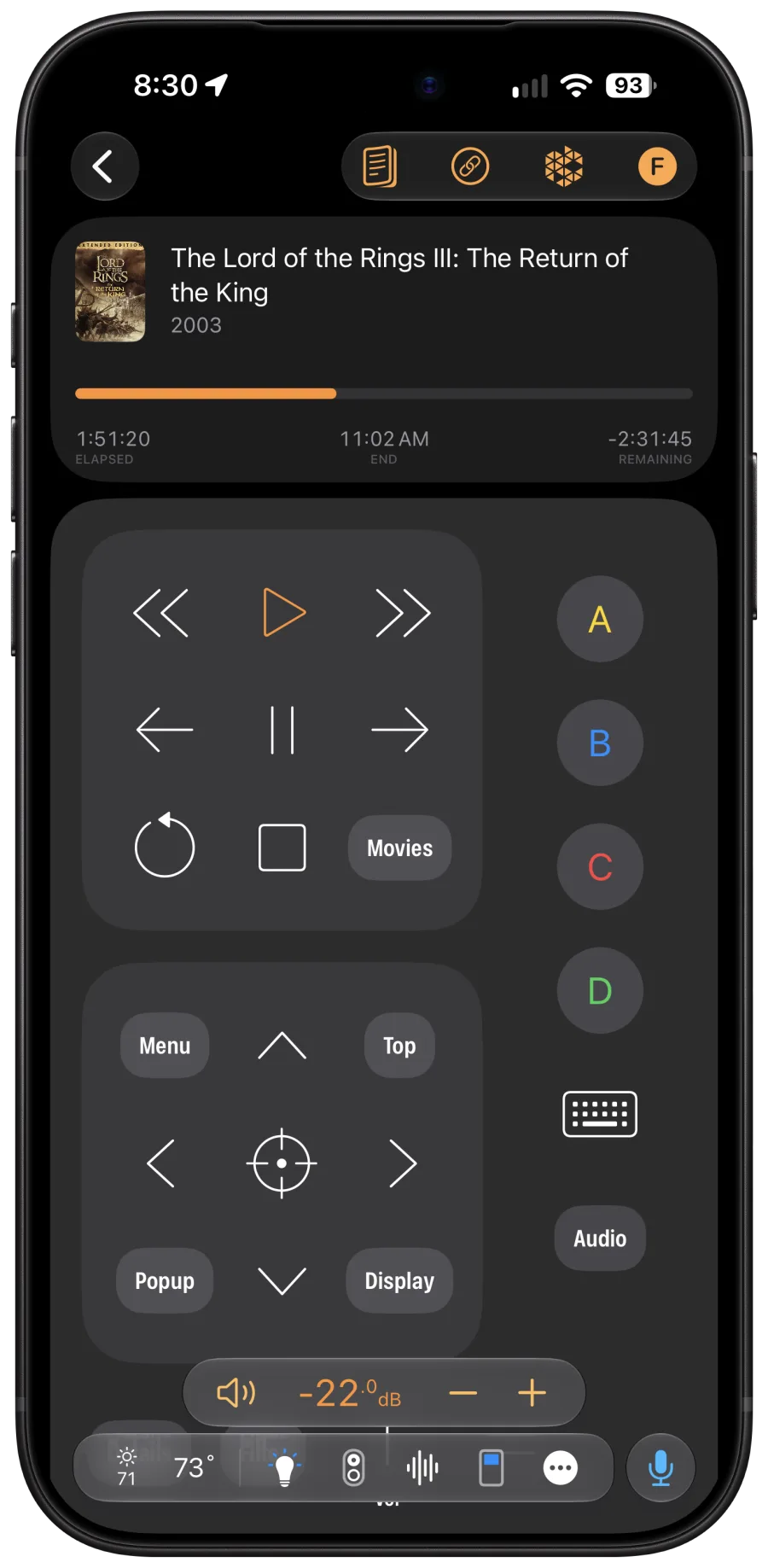
Roomie Remote X app on iPhone during a movie: live playback position, transport and navigation buttons, receiver volume in real decibels, and the one-row HomeBar with weather, lights and voice
400,000+
Device Commands
200+
Supported Brands
15 Years
On the App Store
4 Platforms
Apple Ecosystem Native
Version 10.7

New this November.

Roomie 10.7 is a free update for iPhone, iPad, Mac, and Apple TV, out now on the App Store.

Read the full release notes for 10.4–10.7

A new HomeBar

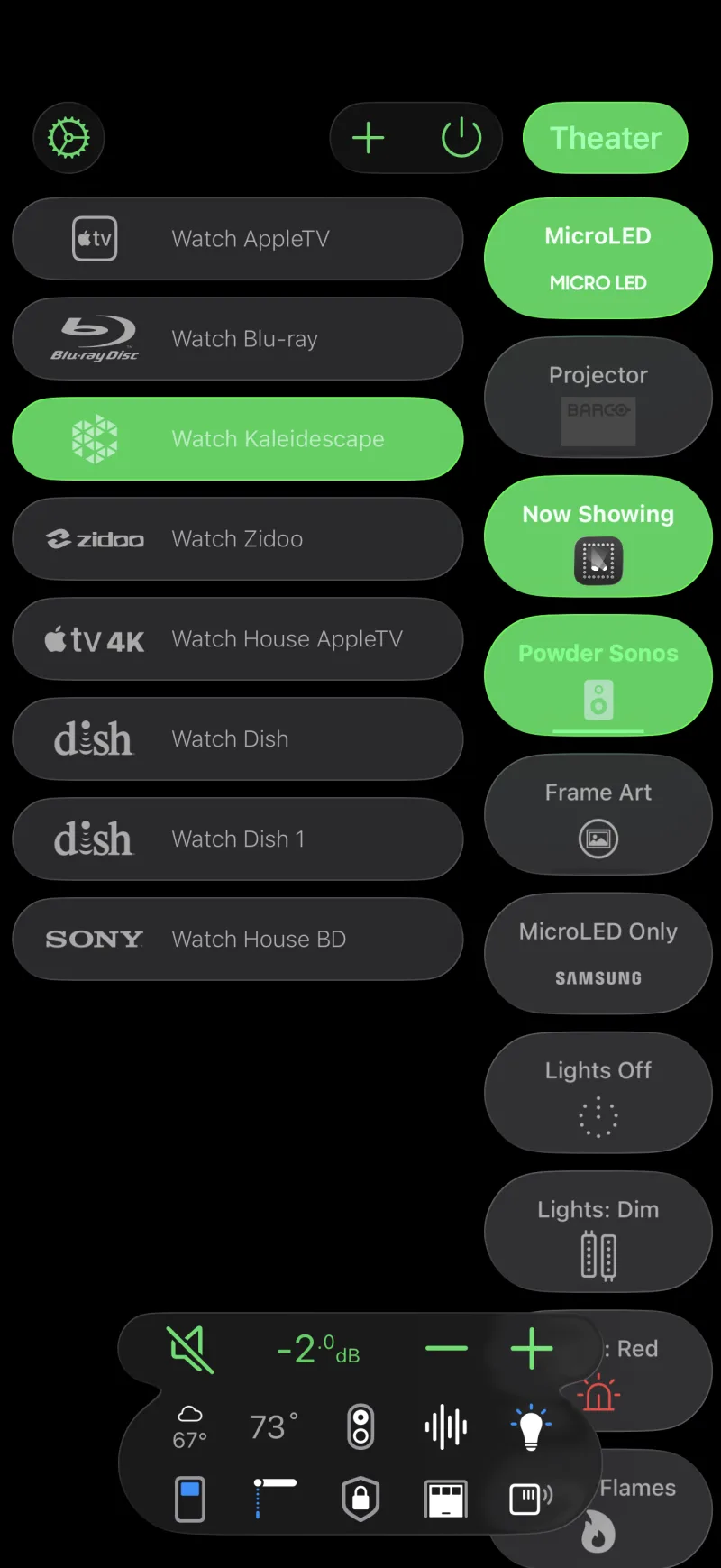
One tidy row: weather and climate first, Voice in its own circle, and everything else in a More menu that shows what’s on. Long-press the bar to arrange it.

An all-new TV & Media Guide

A faster Live TV grid with jump-to-time and program cards, playlists, the Kaleidescape cover wall, DVR timers, and a new channel guide editor.

Plex, without the extra device

Turn on the Plex guide on your Apple TV or NVIDIA Shield and movies open right in the Plex app. Have Infuse? Play them there instead.

Ask Roomie

The new Assistant answers what happened in your home and what a device is set to, and runs commands for you. Find it under Support in the gear menu.

Remotes designed by Claude

Ask Claude on claude.ai to design a remote for an Activity and approve it in the chat. Keep several designs per Activity and switch between them.

UniFi Protect in one step

Paste one API key and every camera on your Protect console is added with secure streaming. A camera can also carry an Activity button to open the gate.

The Layout

Three panels.
Zero tabs.

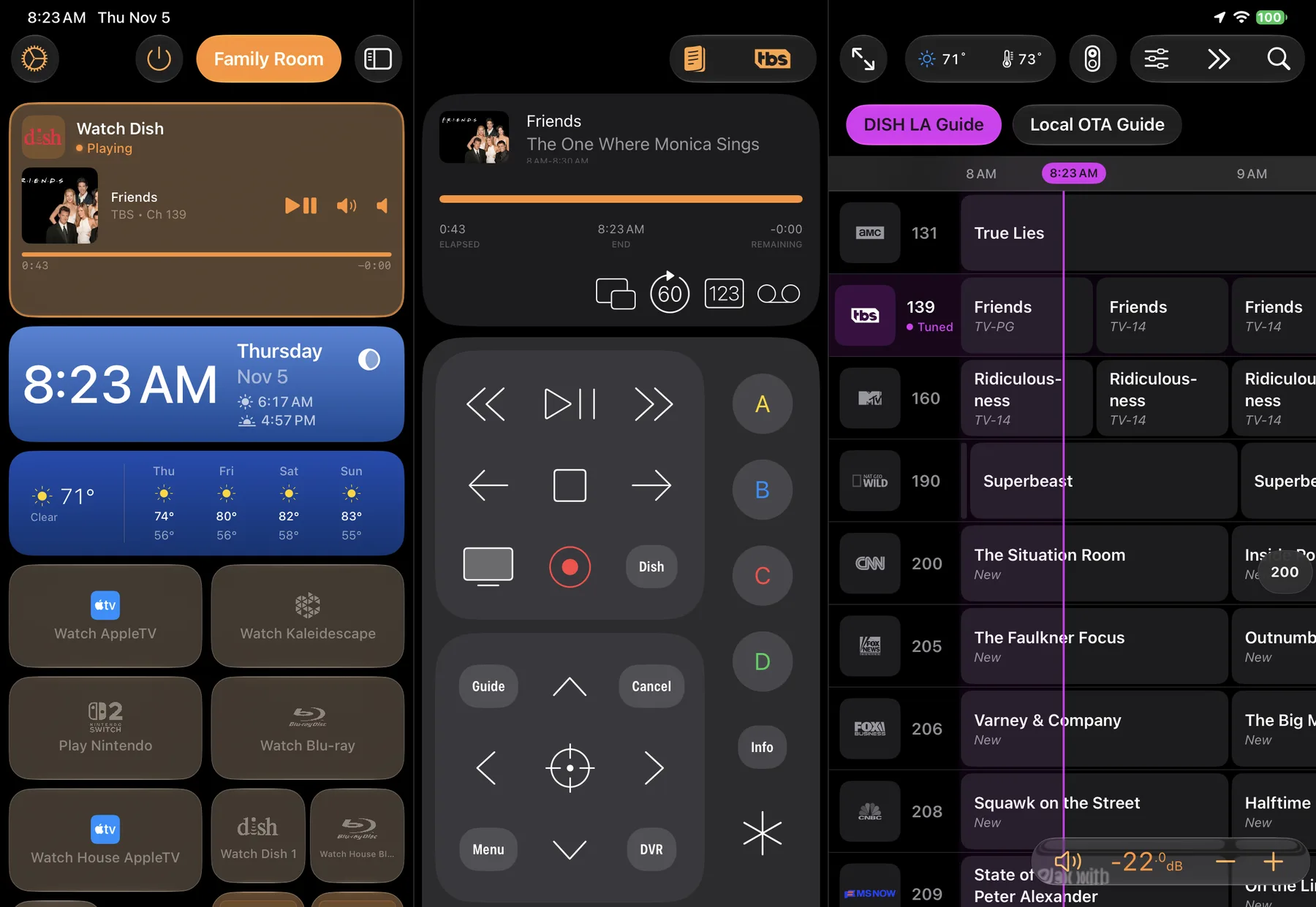
The Three Up Layout puts Activities, Remote, and Media Guide side by side on a single screen. Switch sources, browse what's on, and control every device without ever leaving the view.

Activities
Launch multi-device scenes with a single tap — power on, set inputs, dim lights.
Remote
Context-aware controls that adapt to the active device and source automatically.
Media Guide
Browse live TV guides, Plex, Kaleidescape, Sonos, Kodi, Zidoo, and more — tune or play content directly from the app.
Roomie Remote X Three Up Layout on iPad: the Family Room's Activities with Watch Dish playing, a clock and weather forecast, the Dish remote, and the live TV guide with the tuned channel highlighted
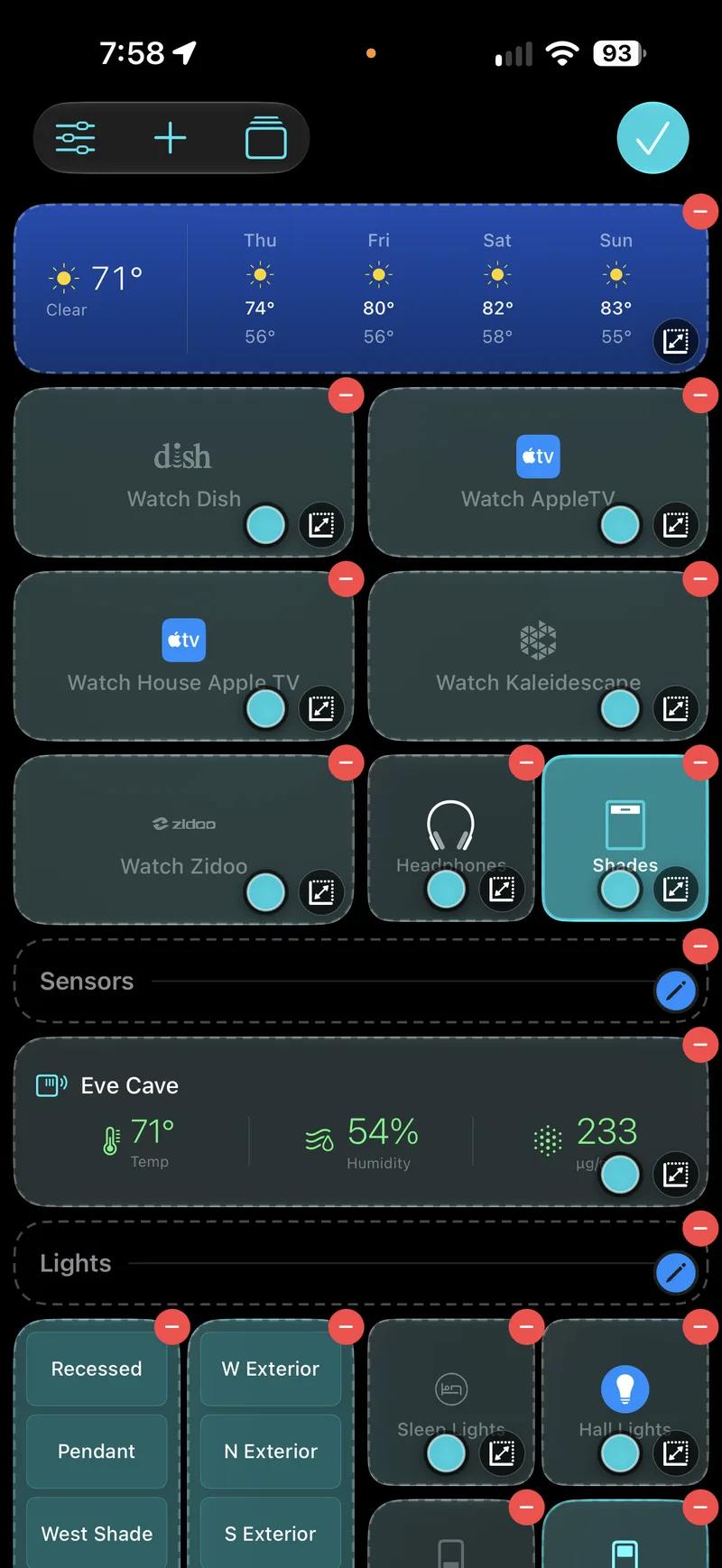
Editing a Room's Layout on iPhone: weather, Activity, Headphones and Shades cards with size and remove badges, a Sensors section with an Eve air-quality card, and a Lights section

Every room, arranged your way.

Each Room has its own Layout. Drag cards into the order you want, pick a size for each one, and remove what you never use.

Add Now Playing, weather, a clock, section headers, Activities, scenes, cameras and home devices, so the screen you open is the one you need.

Capabilities

What you can control.

AV Control

Full IP and IR control of TVs, receivers, projectors, Blu-ray players, and media streamers from every major manufacturer.

Smart Home

Lights, shades, thermostats, and fans. Works with Lutron, Hue, Nest, ecobee, HomeKit, and many more platforms.

Automation

Sequence device commands, create event timers and triggers, and automate your home with Activities — power on, set inputs, dim lights, and configure audio, all with one tap.

Live TV Guide

Browse what's on with the integrated program guide, covering lineups in 53 countries. Tune directly to channels on cable boxes and satellite receivers, with full DVR guide support for DISH, TiVo, and DirecTV.

AI Voice Control

xAI-powered natural language control. Say "Hey Roomie" to play movies, launch apps, set levels, and run activities — completely hands-free.

Security Cameras

View live feeds from UniFi Protect, Ring, Arlo, HomeKit cameras, and ONVIF-compatible devices right in your dashboard.

Native Everywhere

One app. Every room.
Any screen.

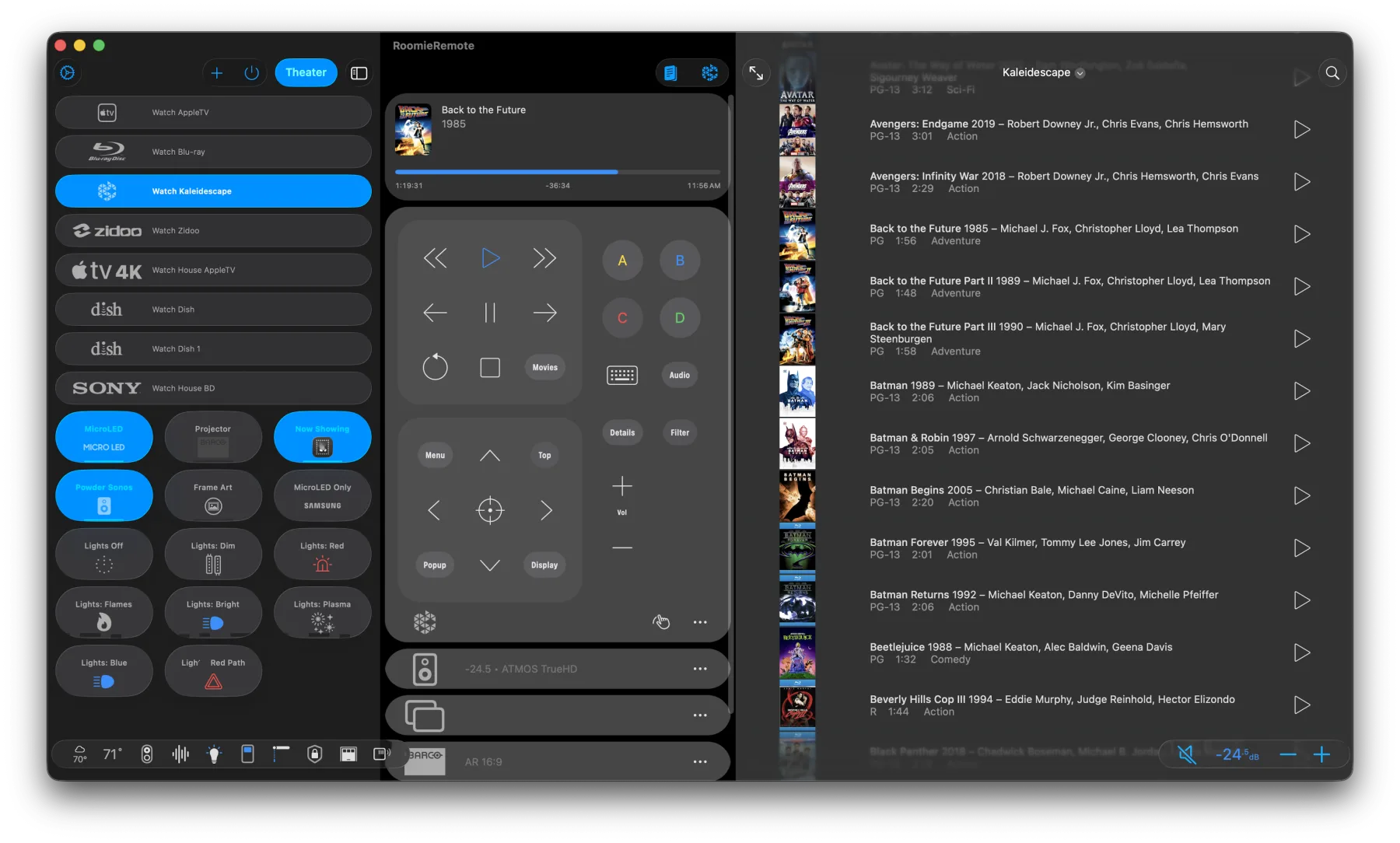
Roomie Remote X is built natively for iPhone, iPad, Mac, and Apple TV. Each version is purpose-designed for its platform — not a scaled-up phone app.

Roomie Remote X on macOS
Roomie Remote X on iPhone
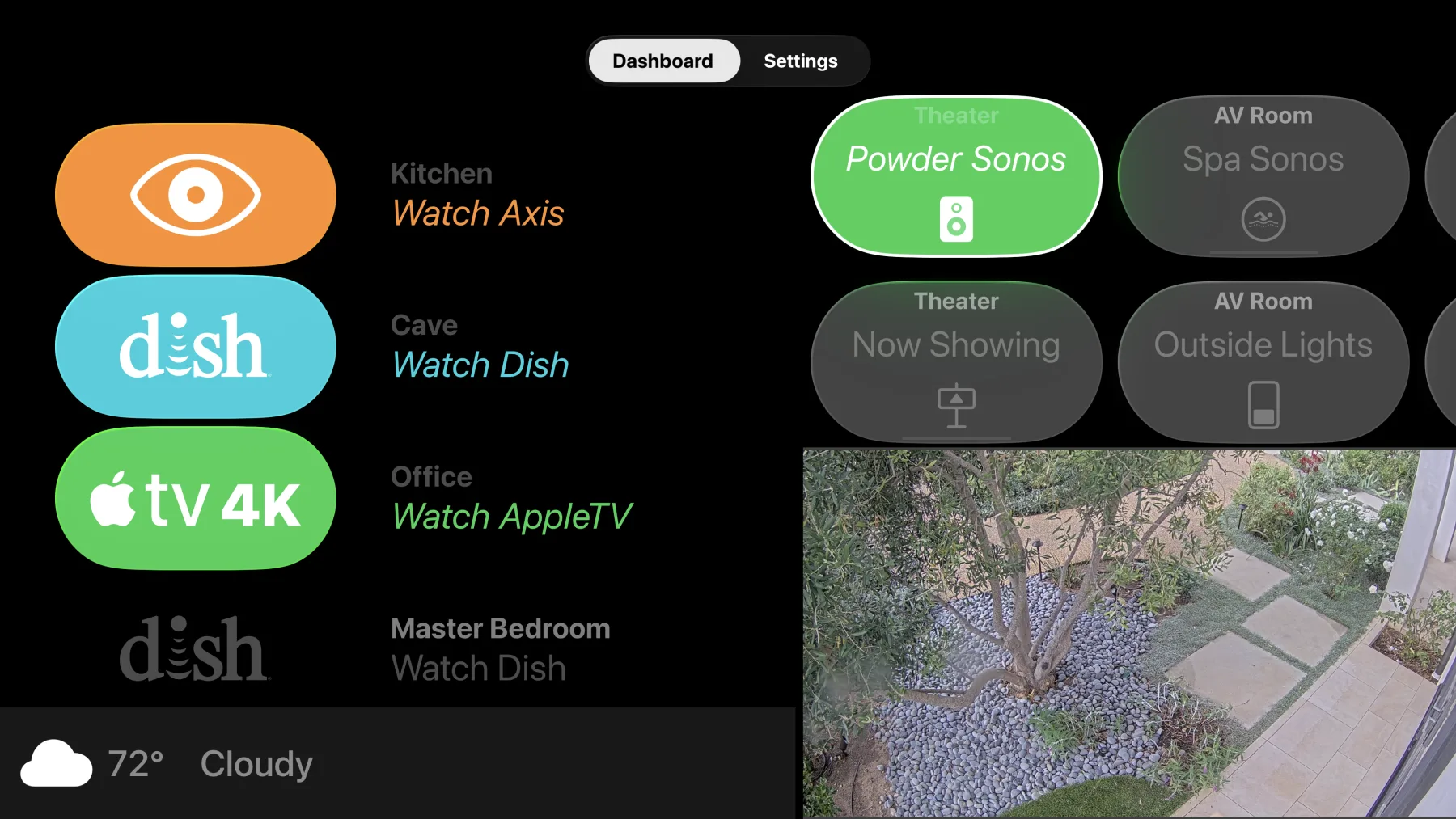
Roomie Remote X on Apple TV

iPhone & iPad

Full remote in your pocket. iPad expands into a multi-panel dashboard with activities, remote, and guide side by side.

Mac

A true desktop app with keyboard shortcuts, menu bar access, and a resizable window for your entire home.

Apple TV

Your living room dashboard on the big screen. Launch activities, view cameras, and check weather. Coordinates Automations and Alexa commands.

Beyond the Remote

More home control than
the Home app.

Roomie goes far beyond AV — monitor cameras, adjust thermostats room by room, control every light in your house, and broadcast announcements across speakers.

Security Cameras

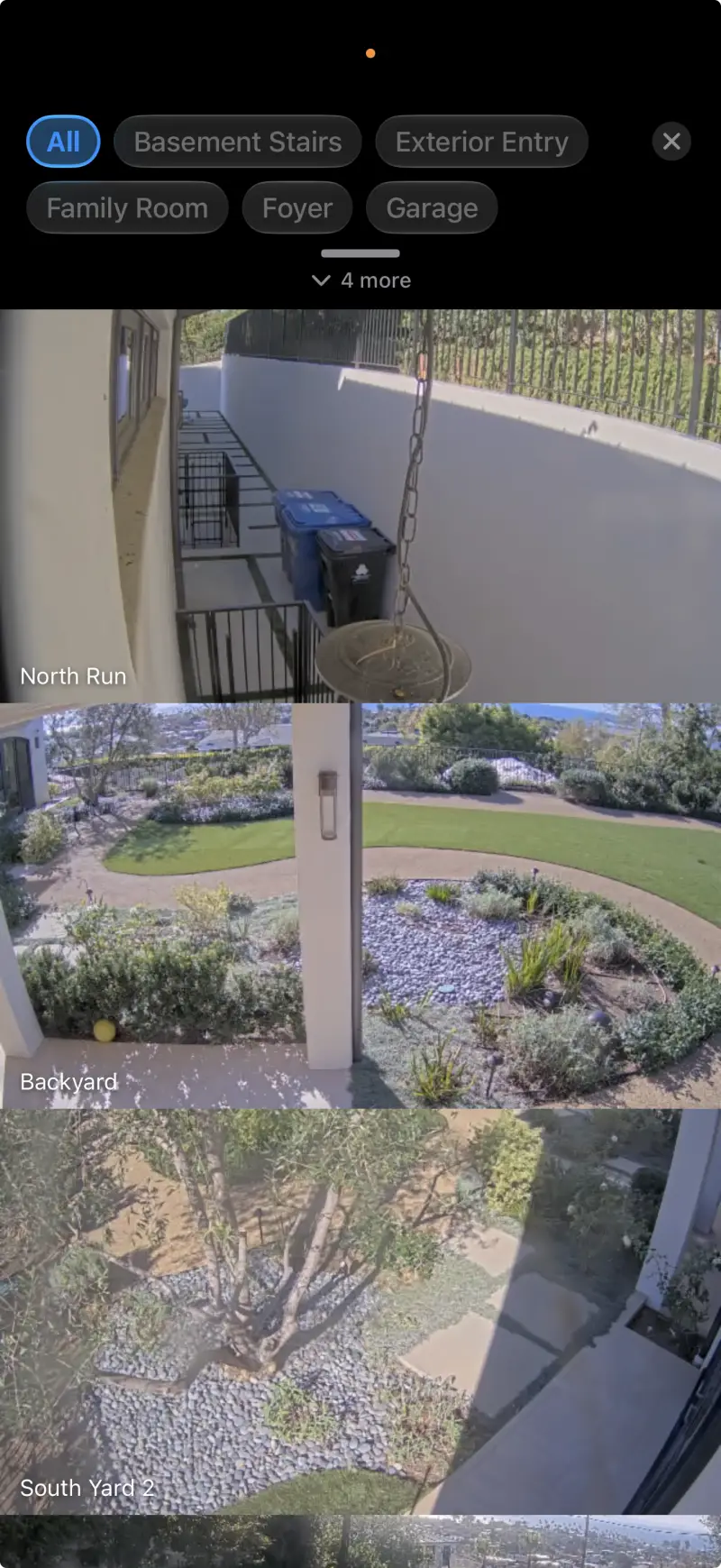
Live multi-camera feeds from UniFi Protect, Ring, Arlo, HomeKit, and ONVIF devices. Filter by room, pinch to zoom, and view fullscreen — right from your remote dashboard.

Roomie's Cameras panel on iPhone: live feeds from three outdoor cameras, each labeled, with room filters above

Climate Control

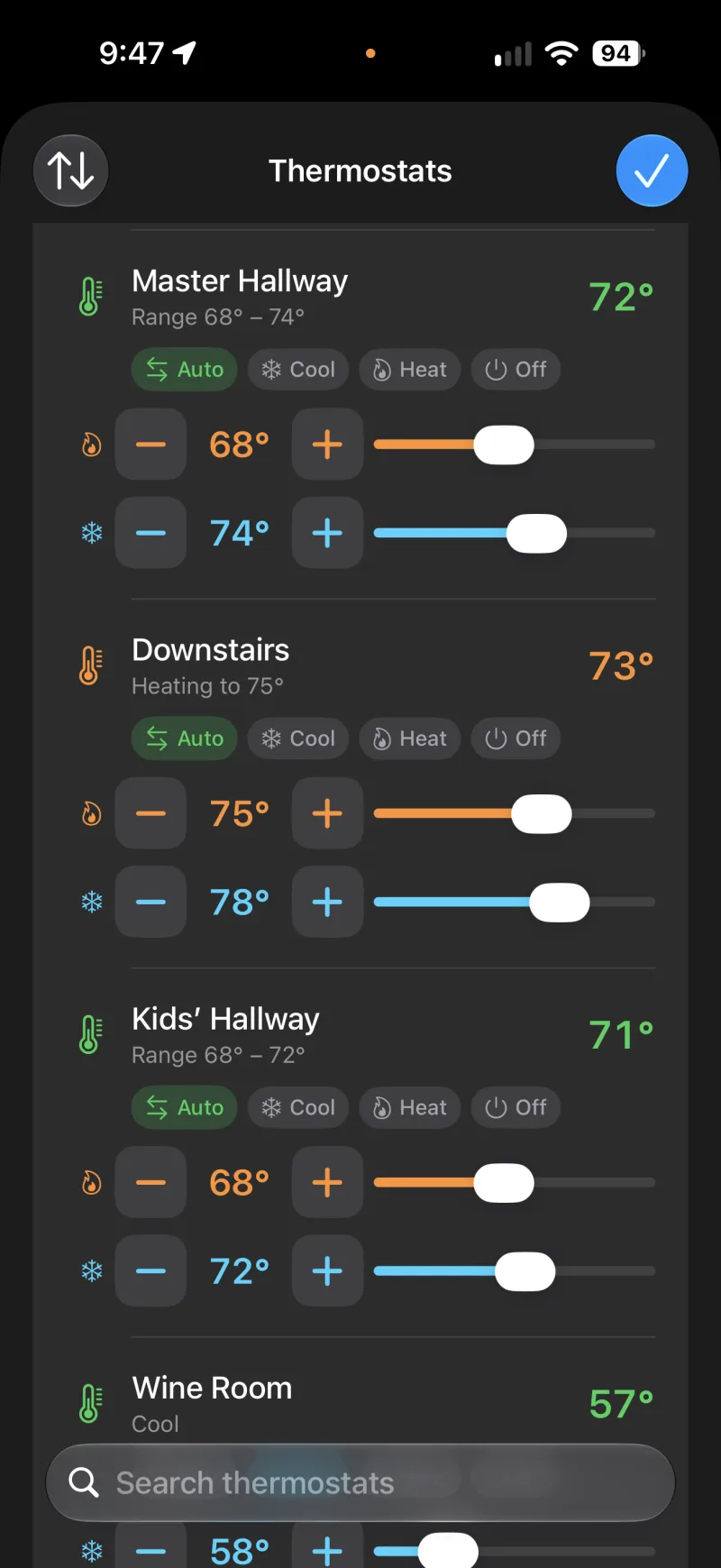
Zone-by-zone thermostat control with ambient temperature readouts. Supports Nest, Ecobee, Honeywell, and HomeKit-connected HVAC — adjust every room from one screen.

Roomie's Thermostats panel on iPhone: each zone with its current temperature, Auto, Cool, Heat, and Off modes, and heat and cool setpoints with sliders

Every Light, Every Room

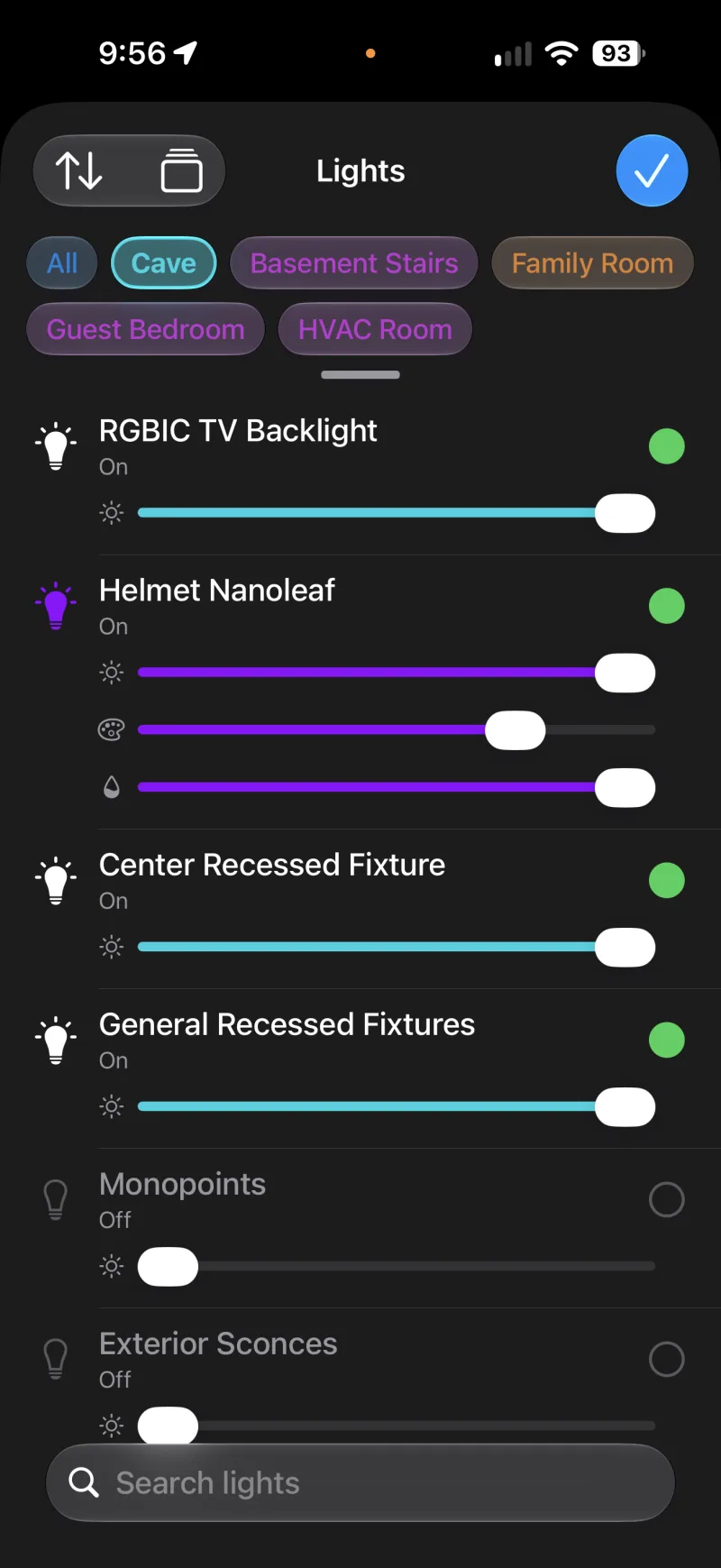
Lutron, Hue, HomeKit, SmartThings, and more lights organized by room. Dim, toggle, and set scenes across your whole house — including color-coded room indicators at a glance.

Roomie's Lights panel on iPhone, filtered to one room: dimmers with brightness sliders, a color light with hue and saturation sliders, and each light's on or off state, with color-coded room filters above

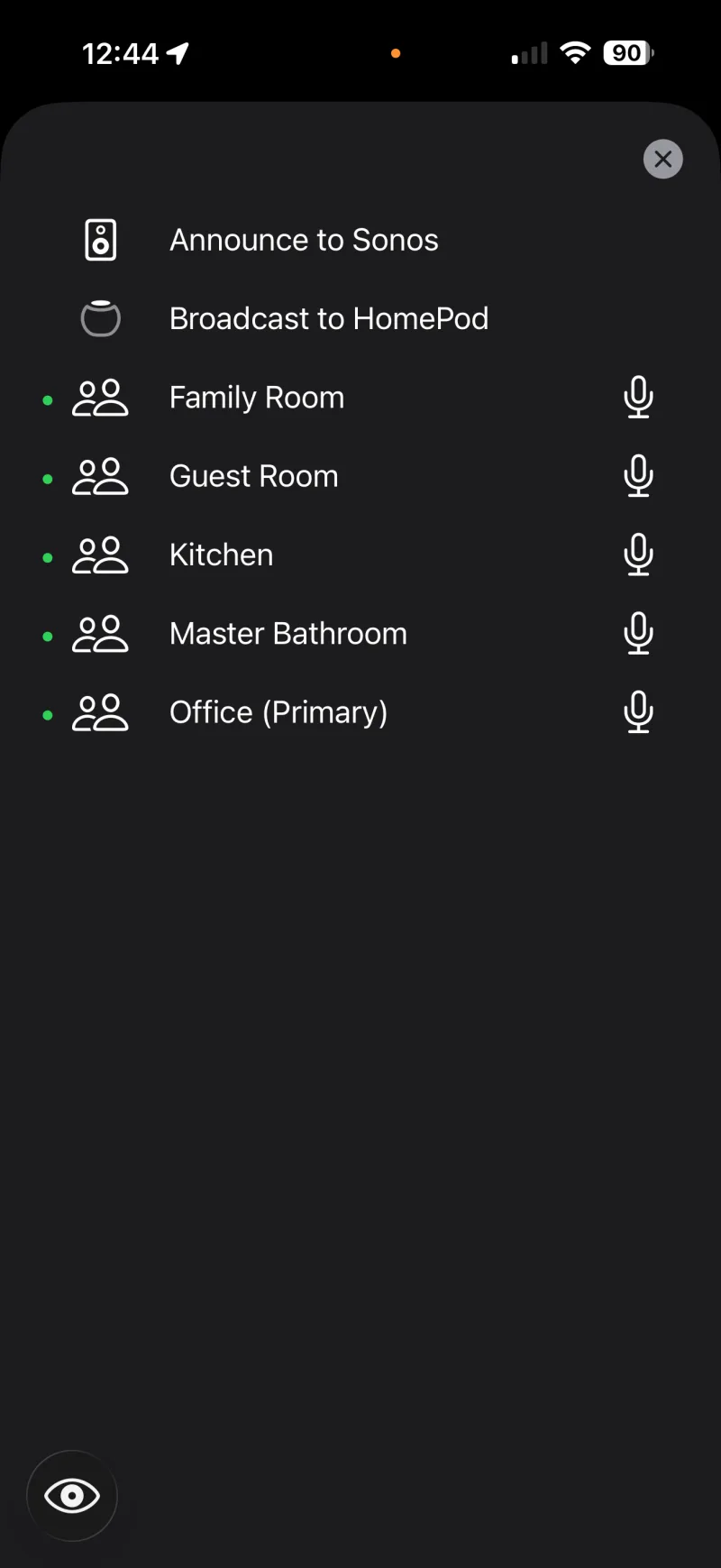
Whole-Home Intercom

Broadcast announcements to Sonos and HomePod speakers, or start live audio and video intercom between any Roomie app in your home. Dinner's ready — everywhere, instantly.

Intercom with Sonos, HomePod, and room-to-room
IR Control

Hardware that bridges
the gap.

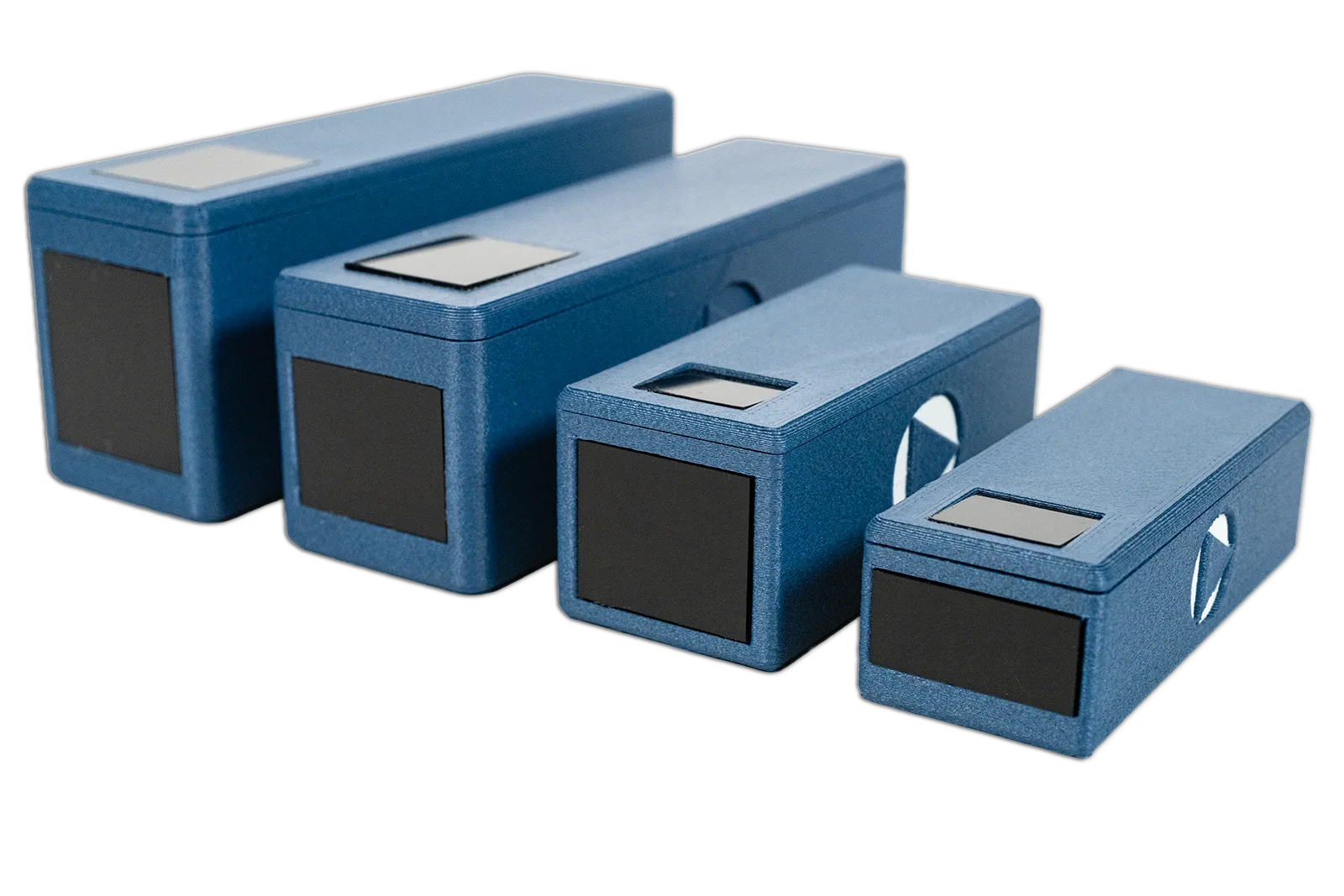
Many AV devices still rely on infrared. Roomie IR Adapters bring them into your smart home — converting IP commands from the app into IR signals your equipment understands.

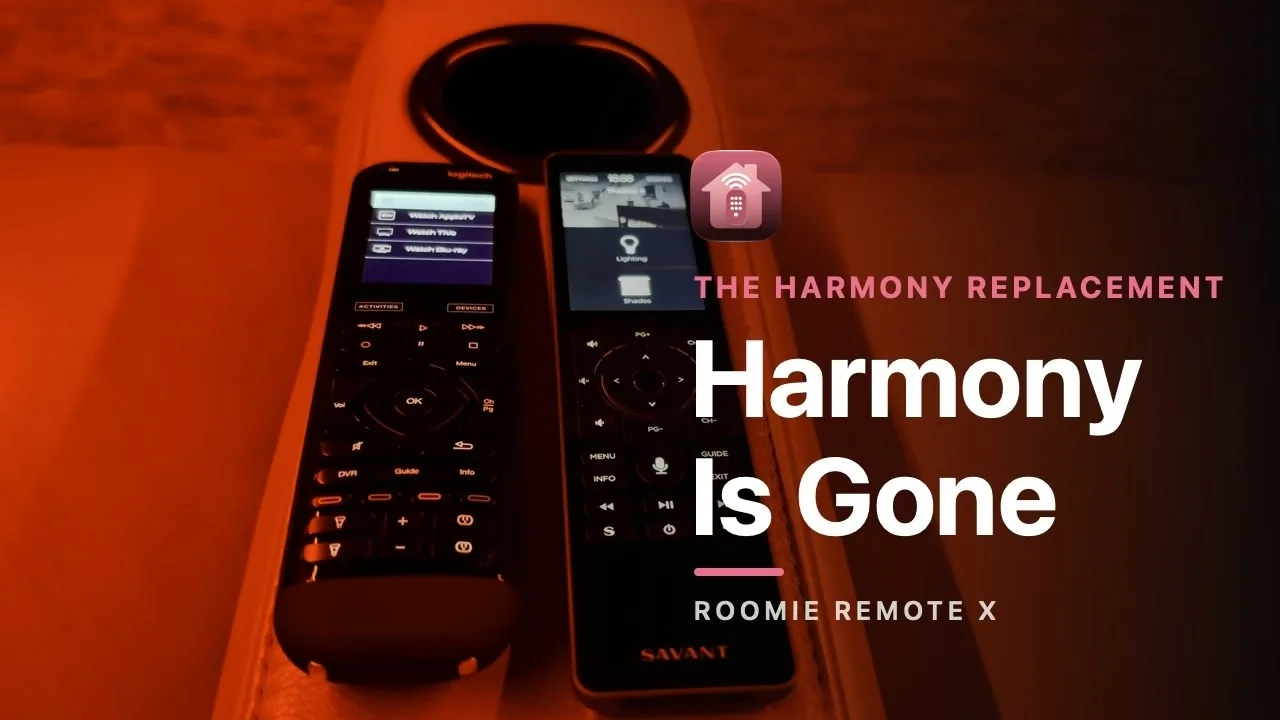
Replacing a Logitech Harmony? See how Roomie compares

Roomie IR Adapter family — four compact infrared blasters
IR100W side view

IR100W

Wi-Fi

$39.95

Internal antenna, smallest form factor

Shop
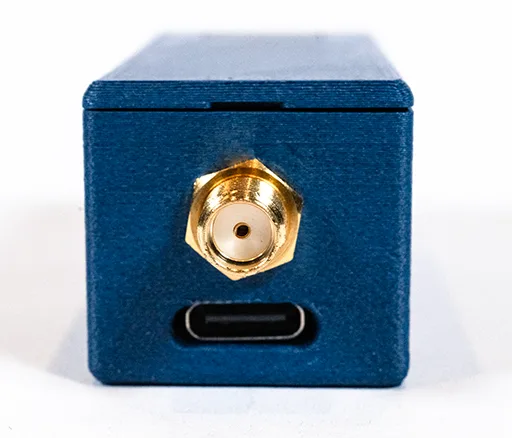
IR100WA back showing gold SMA antenna connector

IR100WA

Wi-Fi + Antenna

$49.95

External SMA for extended range

Shop
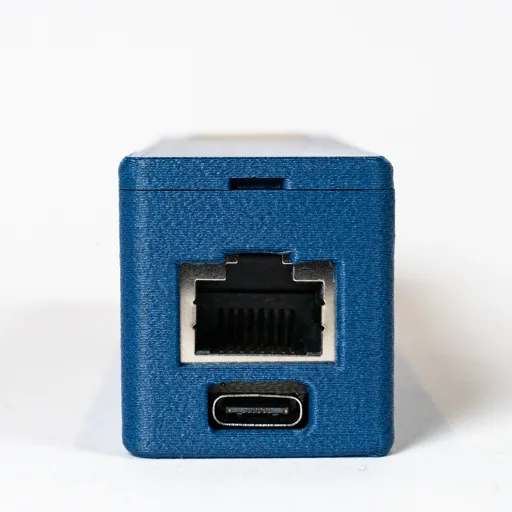
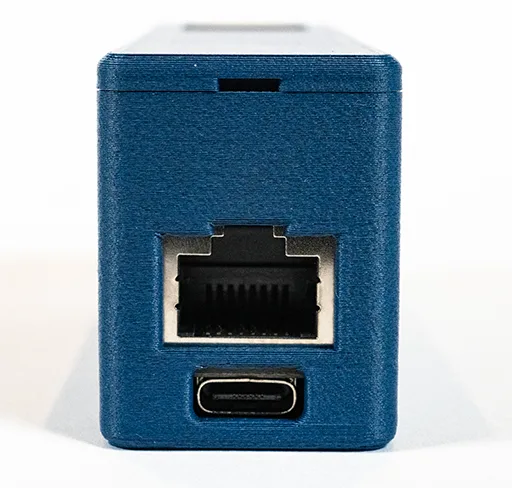
IR100E back showing RJ45 Ethernet and USB-C ports

IR100E

Ethernet

$49.95

Wired reliability, zero Wi-Fi latency

Shop
IR100EP back showing PoE Ethernet port

IR100EP

Ethernet + PoE

$59.95

Single-cable install, no power adapter

Shop
Compatibility

Works with everything
you already own.

Over 200 of the world's biggest brands in AV, smart home, lighting, and entertainment.

Samsung Sony LG Denon Marantz Yamaha Onkyo Sonos Lutron Philips Hue Roku Vizio Epson Panasonic JVC
Ring Eve Apple TV Roku Xbox PlayStation TCL TiVo Kaleidescape Govee DirecTV SmartThings Oppo Barco JBL
See all 200+ brands
Pricing

Plans for every setup.

Start free with one Smart TV. Upgrade when you're ready for whole-home control.

Every annual subscription includes a 7-day free trial.

Free

$0
Forever
  • 1 Smart TV control
  • Basic remote interface
  • No ads
  • All Apple platforms
Get Started

Requires Version 10.1+

One Room

$49.99
per year
or $4.99/month
  • 1 room, up to 8 devices
  • 5 activities per room
  • IR, relay, & voice control
  • Alexa & Siri Shortcuts
Subscribe

Unlimited

$129.99
per year
or $14.99/month
or $299.99 for three years
  • Unlimited rooms, devices, & homes
  • Unlimited activities
  • Guest & Family Sharing
  • Multi-home management
Subscribe

Built for professionals, too.

Integrators deploy Roomie across multi-home installations with user permissions, real-time configuration sync, and built-in secure Remote Access — at a fraction of the cost and time of traditional control systems.

Roomie Remote X app icon

Ready to take control?

Download Roomie Remote X free and start controlling your Smart TV in minutes.

Requires iOS 26 / iPadOS 26 / macOS 26 / tvOS 26 or later.